CARE emails in abundance
You may be getting quite a few CARE emails stating that you have access to something in the next few days.
Well you don’t, so please just ignore them while IT works on the CARE site.
Are you using it?™
Your reference for EVERYTHING ContactWorks!
You may be getting quite a few CARE emails stating that you have access to something in the next few days.
Well you don’t, so please just ignore them while IT works on the CARE site.
Please see the march schedule which goes into effect on Monday 3/9/2015 to ensure you are on time for your scheduled shift.
With all the rain we are getting and temperatures tonight expecting to get below freezing, tomorrow is going to be a VPN day. VPN will be approved for the full day.
Make sure your VPN is working tonight and if you have any issues make sure you let a team lead or supervisor know IMMEDIATELY so we can remedy any potential problems ASAP.
You are all still expected to work tomorrow and any issues need to be brought to the attention of management. Thanks for your cooperation.

It has come to our attention that there is too much horsing around and general not staying on task on the call floor. When you are on the clock and not on a call, there is still much work that can be done.
From this point onward I do not want to see anyone on any sites not related to work (i.e. youtube, facebook, reddit, etc.) as there are plenty of Teensafe emails to answer, plenty of call times not meeting metrics and there could be potential voicemails to return.
In your downtime, all non-work related activities WILL STOP IMMEDIATELY, or disciplinary action WILL be taken. If you have any questions about this or what you should be doing, please talk to a team lead.


The VIP Plus queue has now been merged with the regular VIP queue. What this means, is that you may receive a call from the VIP queue that shows “VIP – Existing Issue” when it rings to you.
When you answer that call, it will be a park manager that should already have a ticket number and a “Next Action” on the ticket.
Your job when answering (in addition to normal scripting) is to get the ticket number, pull up the case in Sugar and look for the “Next Action” area under the “Work Done” section.
Verify with the caller that the steps in “Next Action” have been completed. If so, then try and get them in touch with the Tengo employee assigned to the case. If you cannot reach them, please update the case appropriately with the steps the office took and send them a message in chat, letting them know the case was updated.
Please see a lead if you have any questions about this process.
We have noticed that tickets are being filled out with the customer’s phone number set to 434 239-3399, which is TechAdvantage’s number that is routing to us. You must ask for the customer’s best callback number instead of listing TechAdvantage’s routing number.
When filling out a ticket for a Tech Advantage customer (or ANY TTO customer), you must fill out ALL of the fields in the ticket. This includes:
Failure to adhere to these standards will result in coaching documents and/or disciplinary action.
Optaros is launching new client sites over the next few weeks that are expected to generate more volume than normal.
Your duty as agents is to make sure that you are CONSTANTLY running the Optaros scheduled task. EVERYDAY!!
If the scheduled task is not running or you are having issues with it, please see a lead so we can get it fixed immediately.
On another note, this may generate some Optaros phone calls. Make sure you read the main Optaros CARE page to refresh yourself on the phone call process. If you do not have the Optaros queue available to you in HUD, please see a lead.
Failing to comply with this is not an option. Thanks for your cooperation.
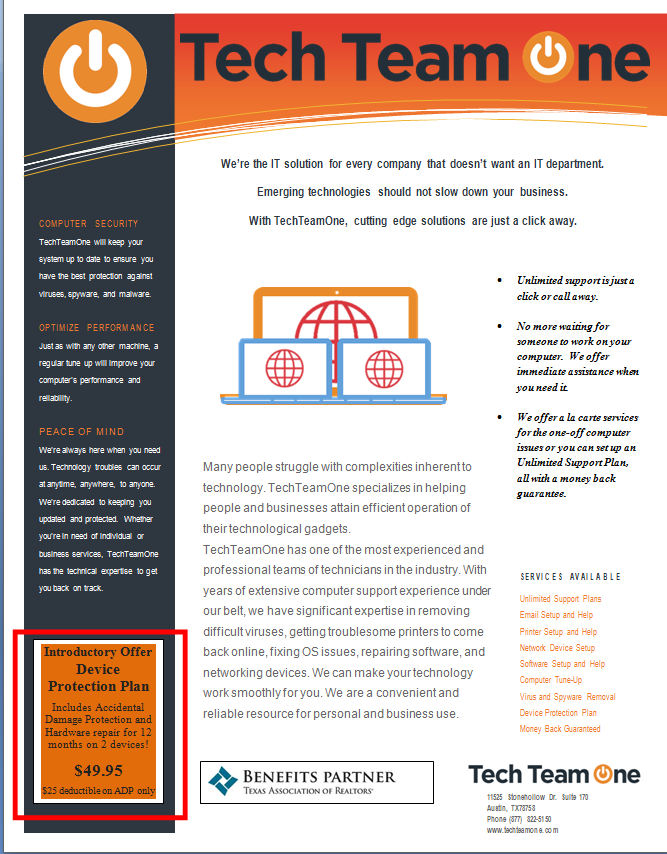
Tech Team One’s Hardware Protection Plan for the Texas Association of Realtors has just been unveiled! Click here for more details regarding the plan.
Process the sale of the plan as an item in Volusion (item code: RPP-1 Realtor Protection Plan) and send out the related documents to the customer. Download the zip file for the forms, extract them on your computer, and attach the 2 files to an email and send via your @techteamone.com email to the customer. Advise the customer to email or fax them back to the email address or fax number on the registration form once completed.
When creating a new ticket for a Tech Advantage customer, be sure to set the Contact Name to Tech Advantage:
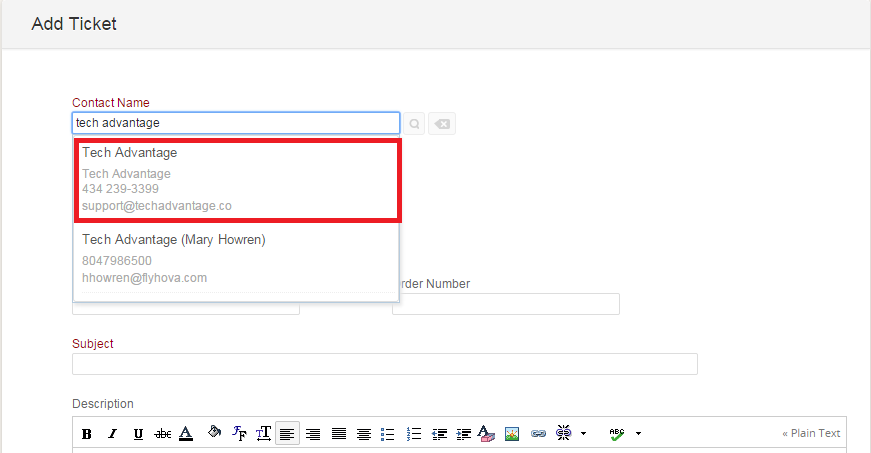
Set the Subject to Last Name, First Name – issue reported/service requested

If you have created any tickets previously, please confirm they follow the correct guidelines.
Be aware that izzitgreen is launching today. They will be calling in on the TechTeamOne line with a promotional code for a free diagnosis. When you answer the call, you will know it is this client when they provide you the promotional code. Do the diagnosis, like usual and then try and sell them whatever service you determine they need (i.e. Virus Removal, PC Tune-up, etc.).
Make sure to log into your techteamone email account and accept the invitation for the izzitgreen Zoho ticketing portal. When ticketing the call, also make sure you put their promotional code into the appropriate field in the Zoho ticket.
