Add New User to ZenDesk
1. Mouse over Add in the upper left and click User.
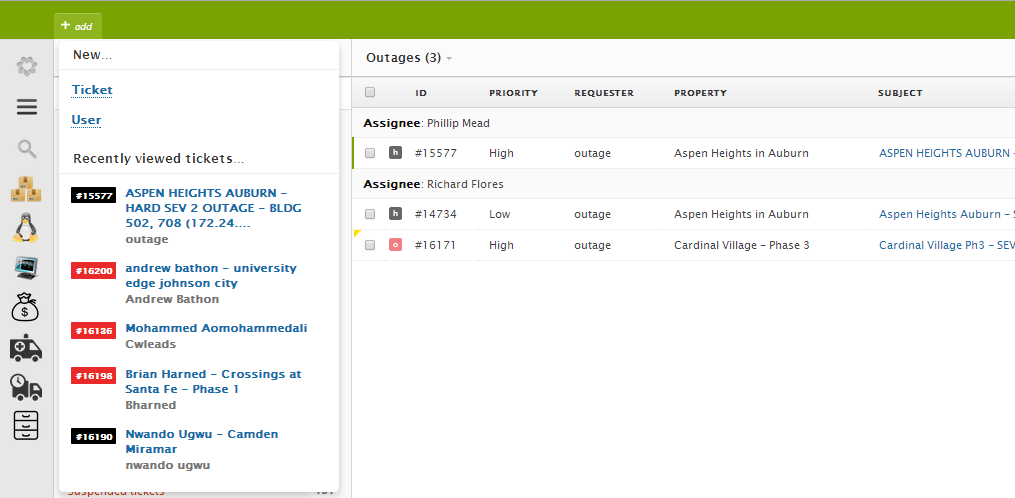
2. Enter the new user’s name and email address. Then click Save. 
3. The tenant is now saved in Zendesk. There might be a slight delay in order to pull up the newly added tenant. You may have to close Zendesk and wait a few seconds. Relaunch Zendesk for the newly saved tenant’s info to show in the Requester field.