Slow Speeds
- Make sure customer plugs directly into wall (no router)
- Search KMC for customer account and check speeds customer should receive on bandwidth shaper
- Have customer go to http://www.speedtest.net and run a speed test and record results in the ticket details
- If customer receives speeds stated on bandwidth shaper, advise there is nothing wrong with speeds and direct customer to kmc.korcett.com account page to purchase bandwidth upgrade
- Clear the cookies/cache and reboot the devices having issues
- Run another speed test and check for improvement
- If no improvement, run a ping test to google.com and document any latency or packet loss in the ticket details
- If problem is intermittent or caller is not available to troubleshoot issue follow the following flow chart:
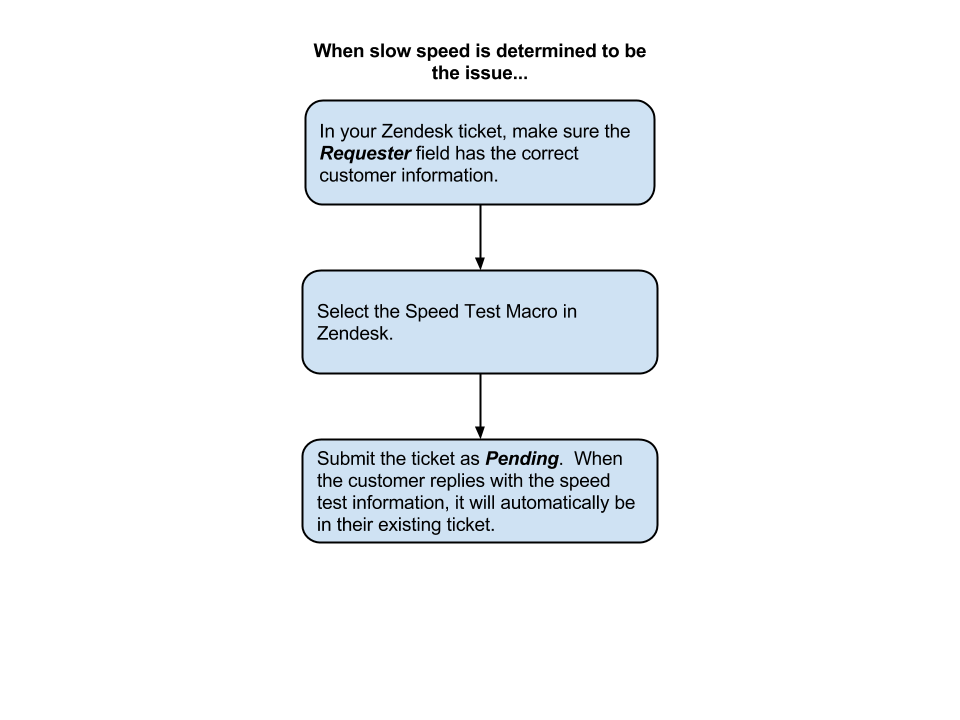
Speed Test Template
Speed Test template email