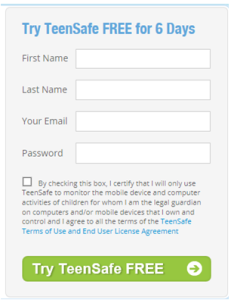
6 Day Free Trial Registration
NOTE: This is also a walkthrough for Android setup.
- Client will go to http://www.teensafe.com
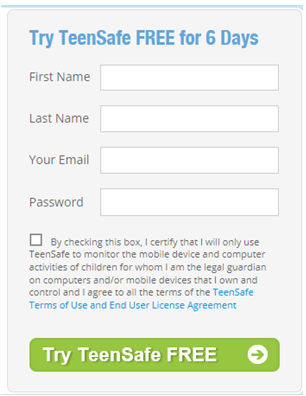
- Client will fill out the below info on the right side of the TeenSafe home page.
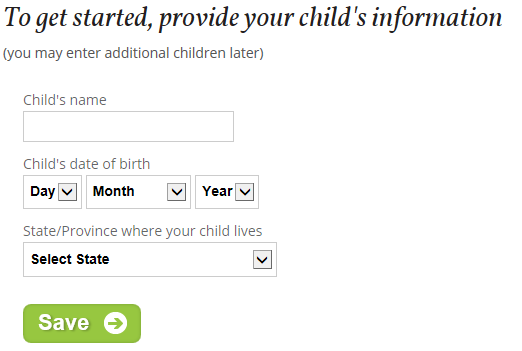
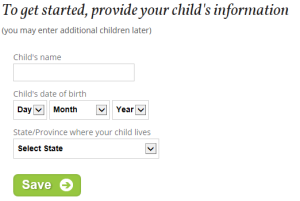
- They will then have to provide their child’s below. (note: If they enter a date of birth 18 or over, they will not be able to continue.)
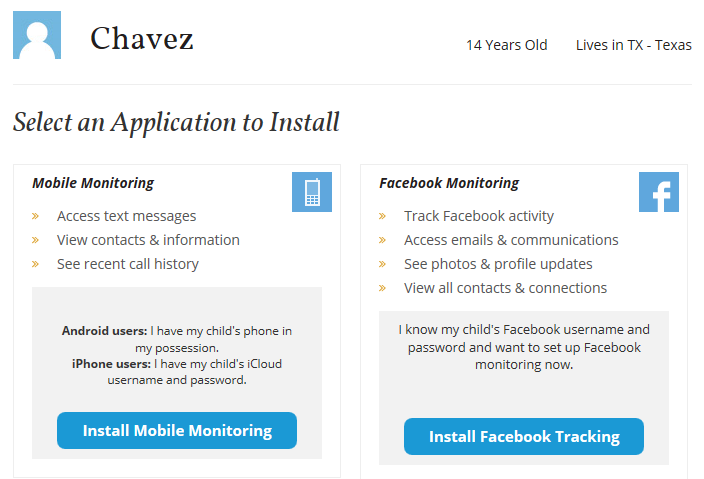
- They will then have to choose either ‘Mobile Monitoring’ or ‘Facebook Monitoring’. (Depending on what they want to monitor firs

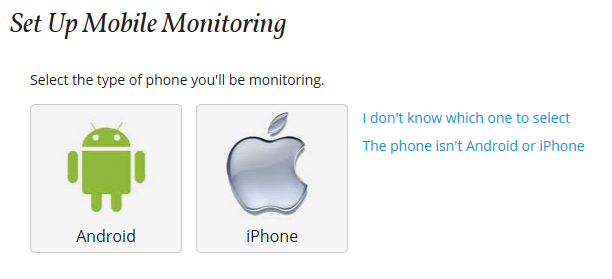
- If ‘Mobile Monitoring’ is chosen they will then have to choose between a ‘Android’ or ‘iPhone’ device.
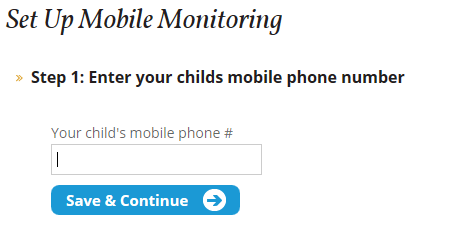
- If ‘Android’ is chosen they will then have to enter the telephone number of the device.
- Client will then have to follow the directions on the screen. Download the TS MDM app from the Google Play or Android market, install and accept and download. Then launch the app.
- They will then have to enter their email address and password they setup their TeenSafe account under.
- After they click Start Monitoring, they will be brought to their TeenSafe Home Page. From here they can add another Teen or choose the teen they want to see monitoring on.
- Setup is complete
- To cancel the trial version they would just click the green ‘Cancel Trial’ on the right side.